
Overview
The Code Sets page in Trella Insights for HME/INF shows the code sets available to your company, and the codes included in each code set.
 The Code Sets page shows you what codes are in your available code sets. Knowing which specific codes are in the available code sets allows you to understand what procedures are represented in the data you see on the Trella Insights for HME/INF Explore page.
 In this article
The Code Sets page
 Let's get Oriented
Use the following image to become familiar with the Code Sets page.
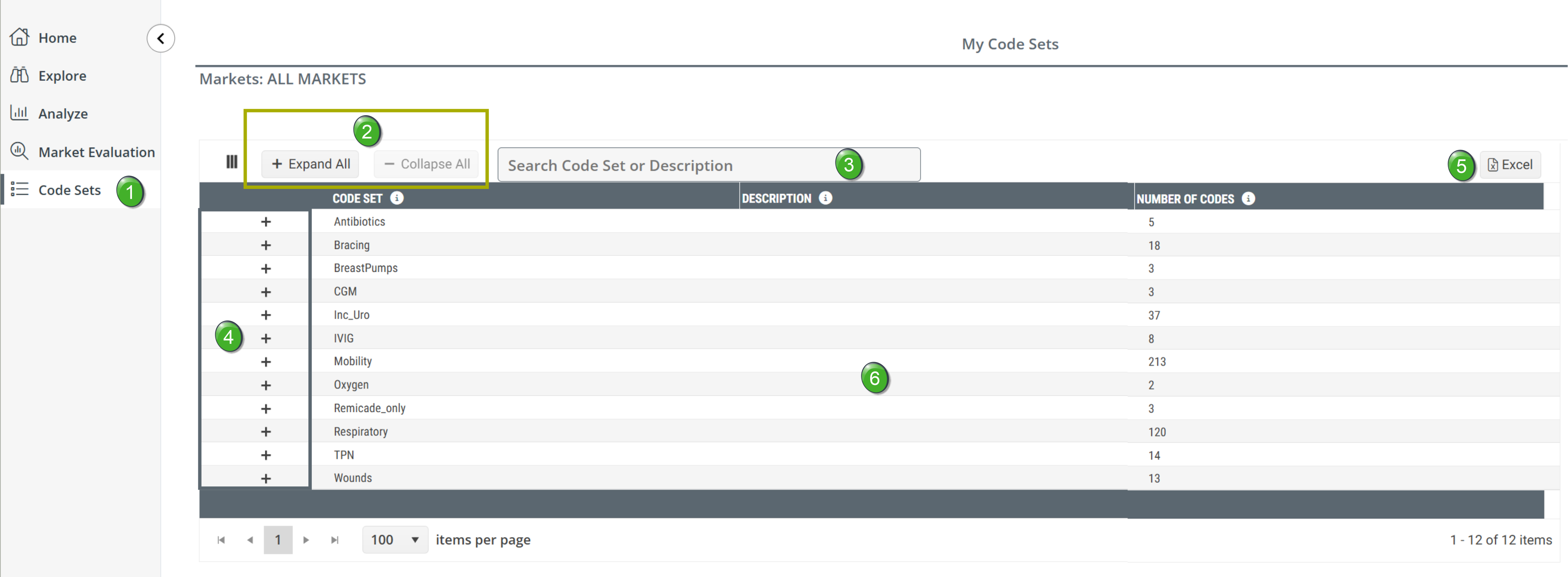
 Click on the "Code Sets" button in the left navigation to open the Code Sets page. Click on the "Code Sets" button in the left navigation to open the Code Sets page. |
 |
|
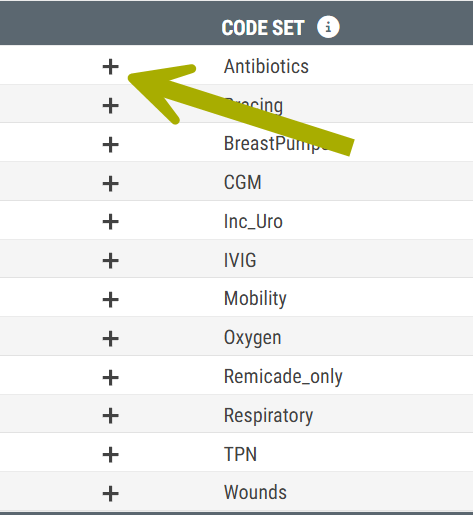
The plus sign "+" to the left of each code set is a button that opens a panel for the aligned code set. The Procedure Codes panel that opens displays specific procedure codes and related diagnoses for the code set in the same row.
|
|
 Expand All/Collapse All - the two buttons at the top left of the table allow you to open the panels for all code sets or close any that are open.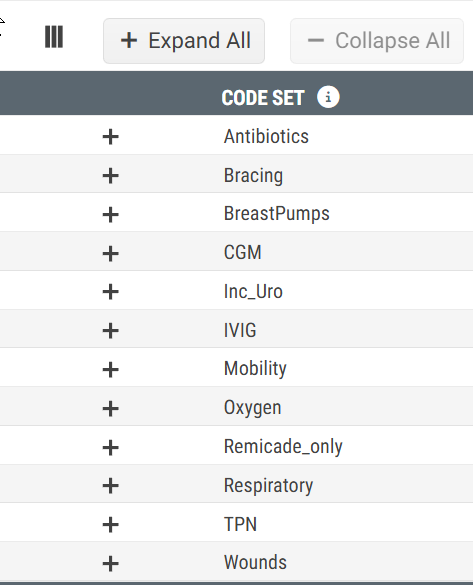
 Table Search - If you enter in a name of a code set, the table will show only the code sets that match.
 This search does not include the the Procedure Codes panels.
 Solution
The workaround is to use the browser search.
- Click the "Expand All" button to open all Procedure Codes panels
- Click ctrl-F for PC or cmd-F for Mac
- Type the specific search term into the search field
- Any matches will be identified and highlighted.
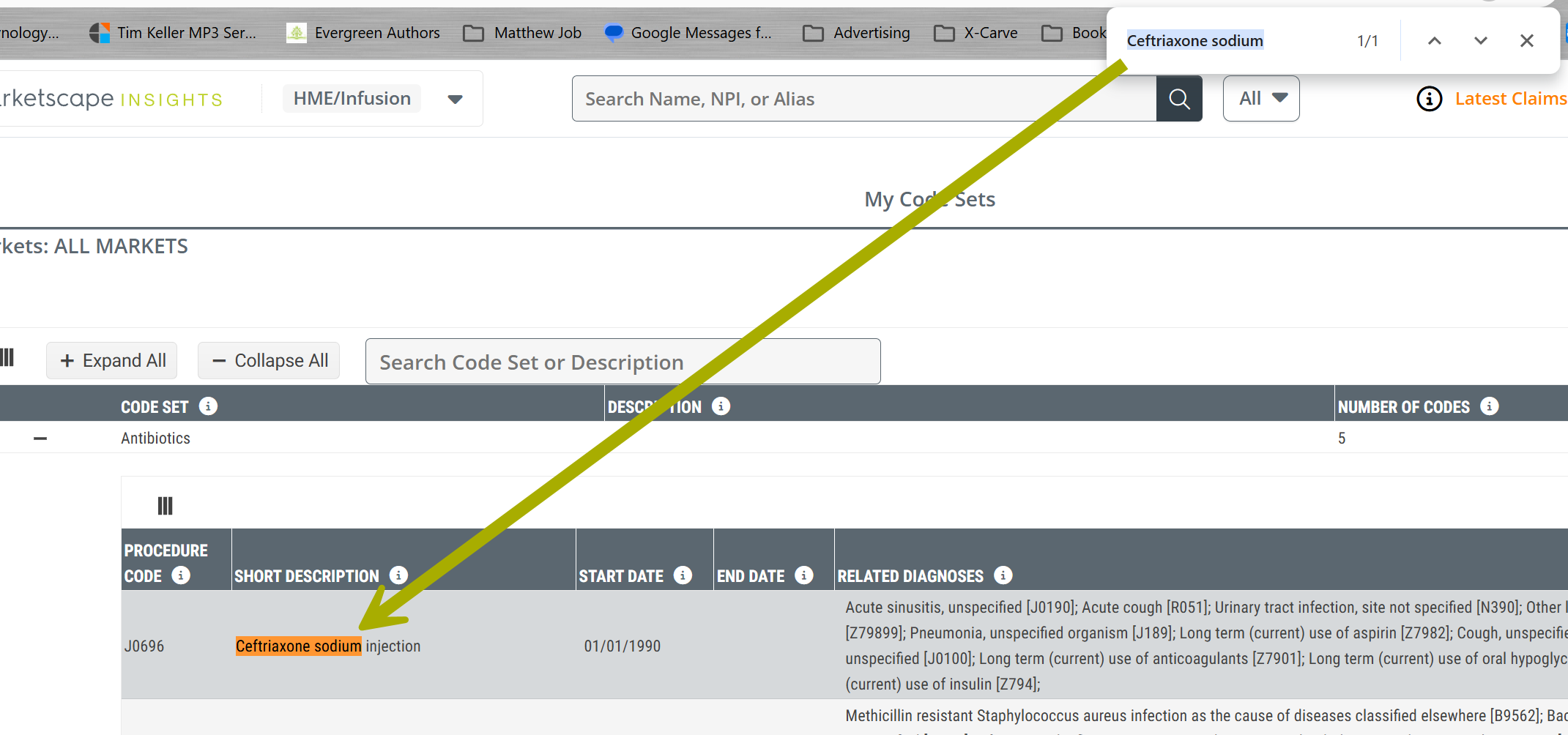
|
The image of the open panel for the code set "Antibiotics" is shown below. |
 |
 Procedure Codes Panel - Clicking the plus sign "+" to the left of any code set name will open the Procedure Codes panel for that code set.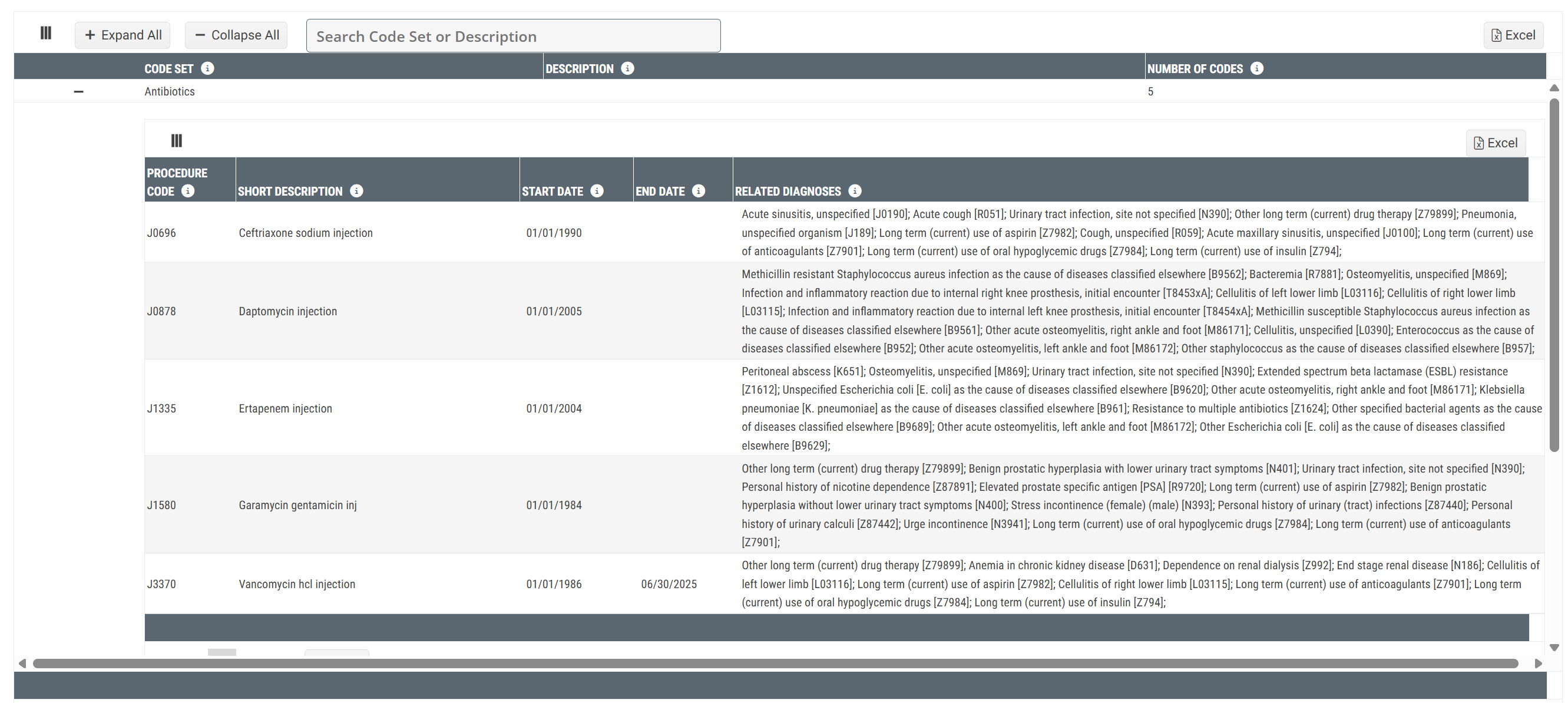
A description of the Procedure Codes panel is below.
 Excel Export - Click the Excel button
  to export the metrics in the table as an Excel spreadsheet.
 Main table content - The main table is where you will see all the code set for which your company has access. The details of this table are next up.
 |
Understanding the Metrics
The details of the Code Set table and the Procedure Codes panel are shown below.
Code Set table
The main table on the Code Sets page displays the list of code sets that your company has contracted to receive.

Metric Name |
Description |
| Code Set |
The name of the code set. You will see this name throughout Trella Insights for HME.
|
| Description | This description is a custom assignment to add clarity for you. If there is no description in the column, and you want a description, make contact with your Trella Health customer success manager. |
| Number of Codes | The count of codes inside the code set in the row. You will be able to see the specific codes when you open the Procedure Codes panel |
 A code set is a group that includes a number of procedure codes.
Procedure Codes panel
When you click on the plus sign "+" to the left of any code set, the Procedure Codes panel opens.
Name |
Description |
| Procedure Code | The procedure code for the information in the same row |
| Short Description | A short description of the procedure code |
| Start Date | The date on which the procedure code first became active and eligible to be reported on claims. |
| End Date | The date on which the procedure code was retired or became inactive and was no longer eligible to be reported on claims. |
| Related Diagnoses | A description of the top diagnoses associated with the listed procedure code as identified by Trella’s algorithm which are used to calculate the Diagnosis Rank per code set. |
|